Localization
A sharing link opens in English unless you ask for another language. Add
locale=<code> to the link, and the filter bar, the time-range picker, the
dashboard menu, table paging and the messages a viewer can run into render in
that language, with the numbers, dates and chart axes formatted the way that
language writes them:
https://dashboards.cluvio.com/dashboards/wm73-peg8-y0qv/shared?sharingToken=55e5b0cb-7e7b-4380-8254-cd897198a7e2&locale=de
The same parameter works in the iframe URL of an embedded dashboard, and it is kept when a viewer follows a drill-down to another dashboard — so one dashboard can be embedded in every regional version of your site, each in its own language.
To try a language before you send anything, open the sharing link's
Preview tab and pick one under Locale. The preview
reloads in that language and the parameter is added to the Show URL value,
ready to copy. Default, marked org formats, leaves the parameter off:
English with the organization's own formats. That is not the same as
English (en-us), which brings US formats. The choice is not saved to the
sharing link.
Try the same dashboard in German, French, Japanese, Chinese (Simplified) or Ukrainian.
Supported languages
| Language | Code |
|---|---|
| Chinese (Simplified) | zh-cn |
| Chinese (Traditional) | zh-tw |
| Czech | cs |
| Danish | da |
| Dutch | nl |
| English (United States) | en-us |
| Finnish | fi |
| French | fr |
| German | de |
| Greek | el |
| Hindi | hi |
| Hungarian | hu |
| Italian | it |
| Japanese | ja |
| Korean | ko |
| Norwegian | no |
| Polish | pl |
| Portuguese | pt |
| Slovak | sk |
| Spanish | es |
| Swedish | sv |
| Thai | th |
| Turkish | tr |
| Ukrainian | uk |
| Vietnamese | vi |
Codes are case-insensitive — zh-CN works as well as zh-cn. A regional
code such as de-AT, pt-BR or en-GB is translated in its language (German,
Portuguese, English), and its region decides the number and date formats: de-AT
groups thousands with a space where de uses a period, and en-GB writes the
day before the month. An unrecognized code, or no locale at all, leaves the
page in English with the organization's own formats.
What is translated
- The filter bar — controls such as Select value, Select All and No values, the aggregation filter, and the time-range picker with its relative ranges (this quarter, before today) and units
- The dashboard menu and toolbar — Refresh, the Download options, full screen, and showing or closing the filters
- Table paging
- Status text — when the data was last updated, row counts, No data
- Error states — query errors and time-outs, a required filter value that is missing, and a dashboard that is unavailable or cannot be reached
- The password prompt of a password-protected link, and the maintenance notice
What is not
Your own content renders exactly as you wrote it: dashboard, report and filter names, descriptions, column headers and the query data itself.
To show your own content in another language too, keep one copy of the
dashboard per language, each with its own sharing link. Duplicate the dashboard,
translate its name and description and the report names, and give the columns
names in that language, either by renaming them in the report editor or by
aliasing them in the query. Values that come out of the data stay as the query
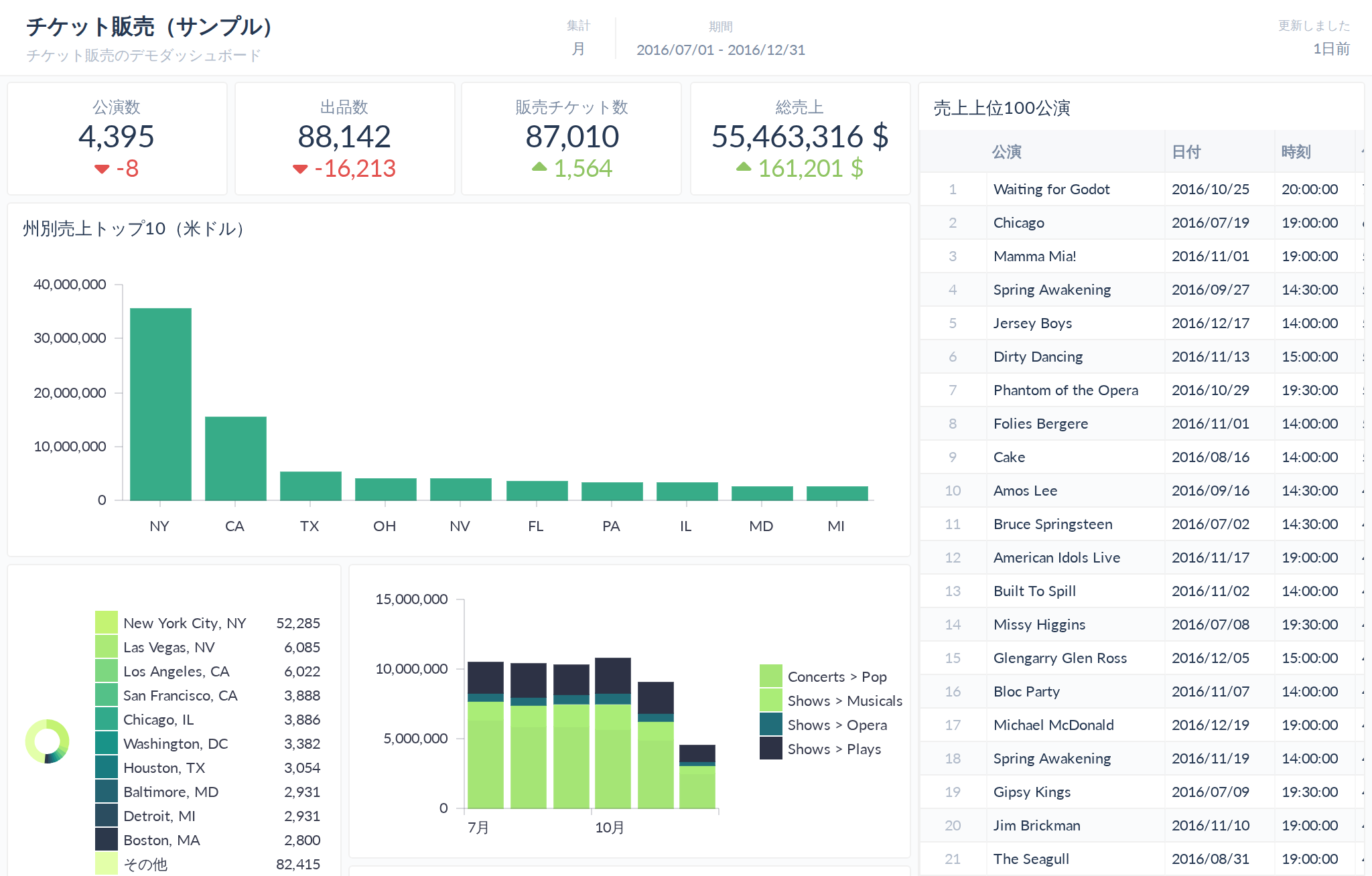
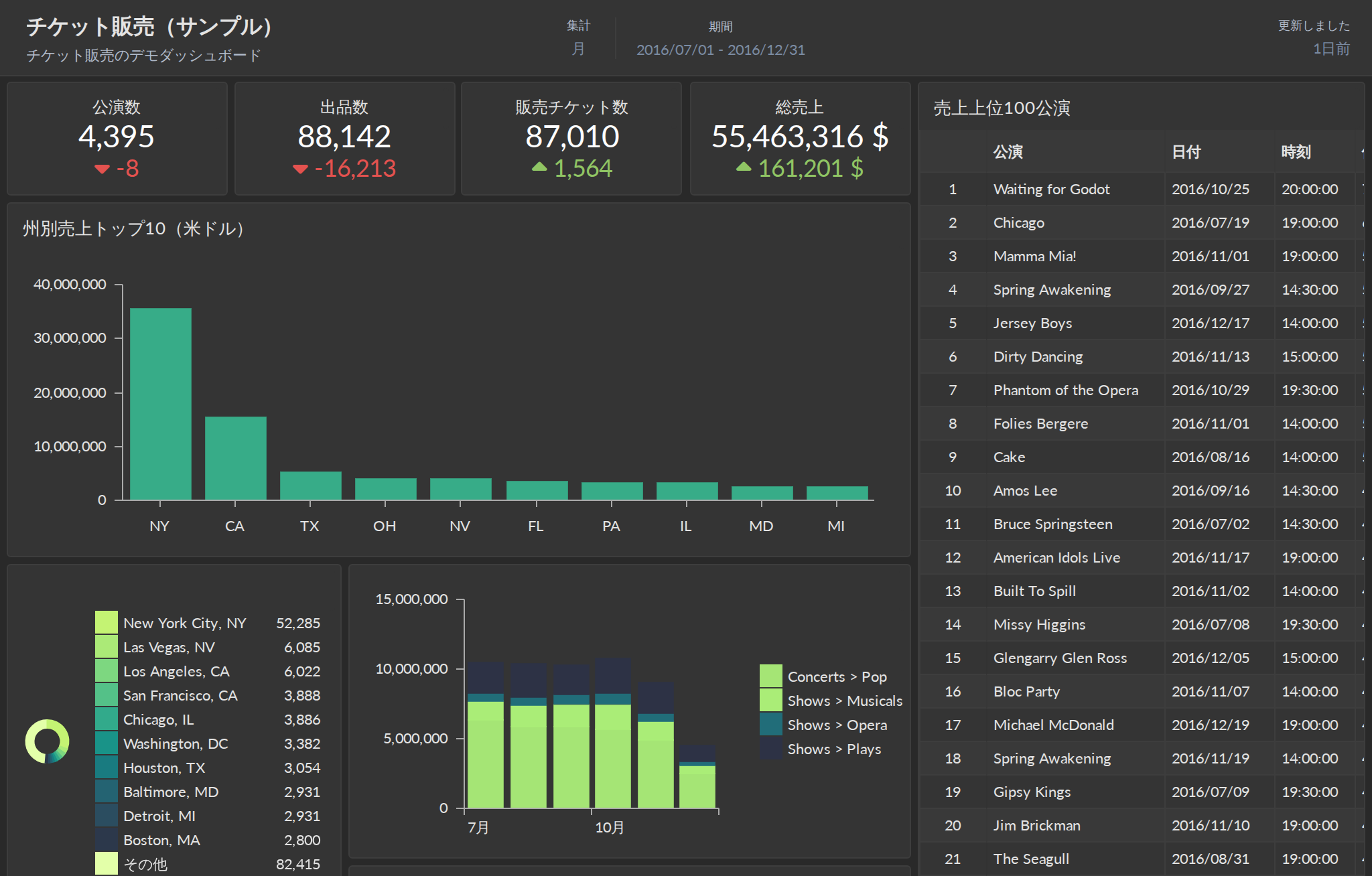
returns them. The sample dashboard translated that way, opened with
locale=ja:
The first day of the week stays the one set in the organization's Preferences. It decides how weekly aggregations group the data, so it would change the numbers, not only how they look.
Month and weekday names in the calendar of the date and time-range pickers stay in English, although the pickers' tabs and relative ranges are translated.
Number and date formats
With locale set, the viewer's language decides how values are written, in
place of the organization's Preferences:
No locale | locale=de | locale=en-us | |
|---|---|---|---|
| Numbers | as in Preferences | 1.234,56 | 1,234.56 |
| Dates | as in Preferences | 31.12.2026 | 12/31/2026 |
| Times | as in Preferences | 20:00:00 | 8:00:00 PM |
| Chart axes | English | Jan, Feb, Mär | Jan, Feb, Mar |
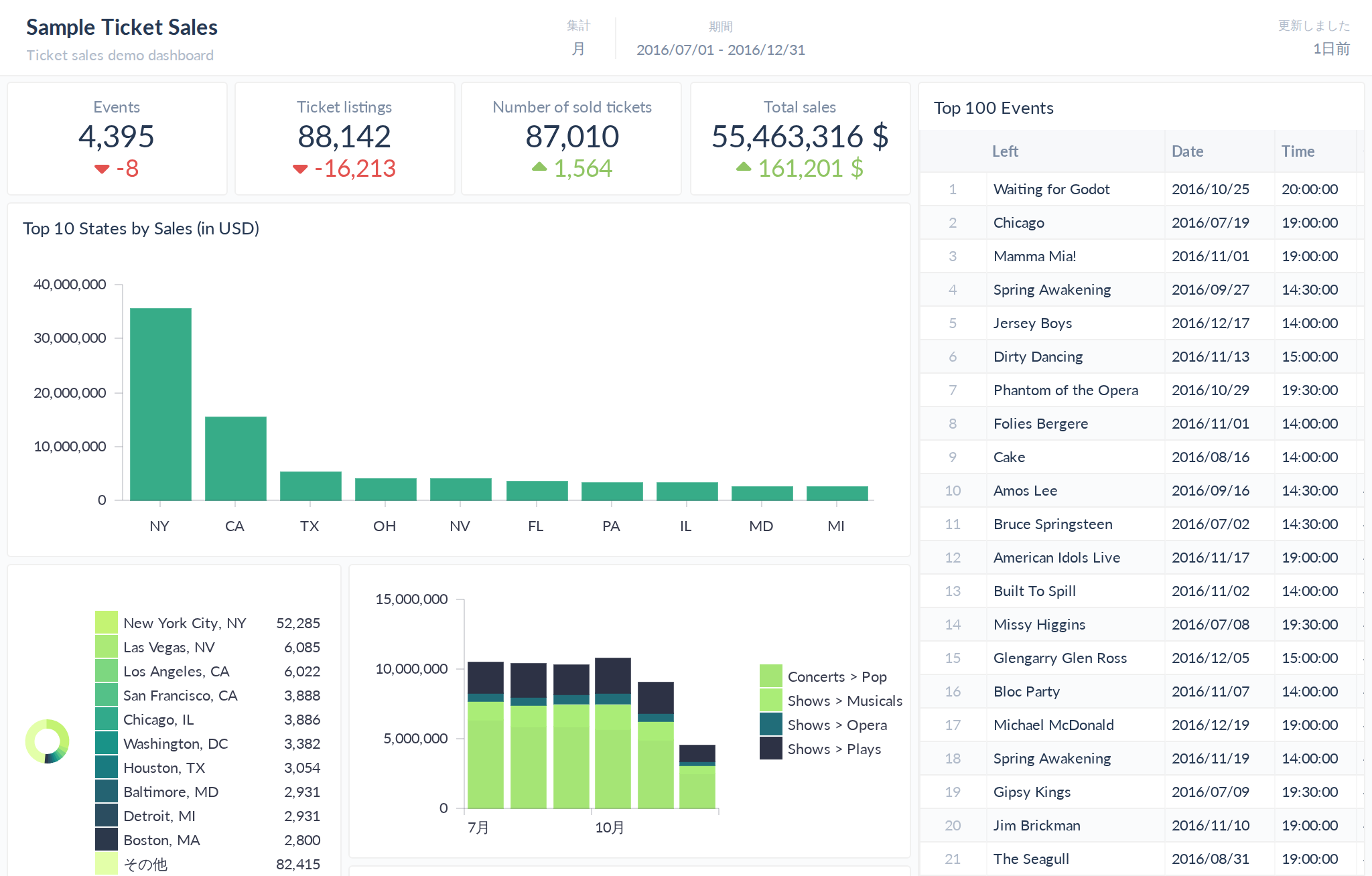
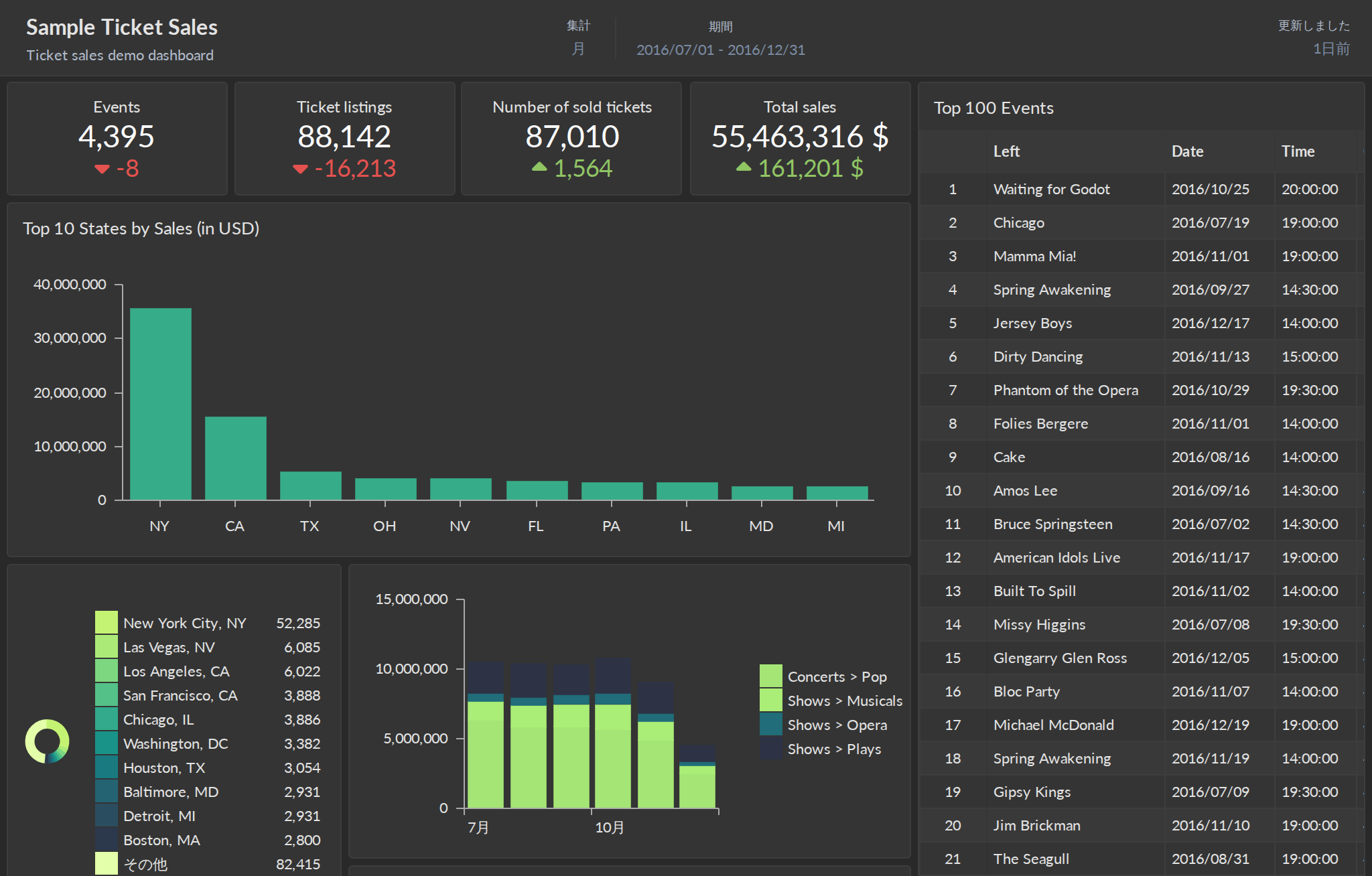
The sample dashboard with locale=ja: the filter bar in Japanese, dates written
2016/10/25, month names like 7月 on the chart axes, and the separators
Japanese uses, which are the same as US English.
That covers thousand and decimal separators, the date, time and date-time
formats, and the 12- or 24-hour clock. On chart axes it covers the month and
weekday names, and the order of day and month: 25 Okt for German, Oct 25
for US English. The abbreviations of large numbers follow the language where it
has its own (Tsd. and Mio. for German, K and M for US English); other
languages keep the organization's.
Values formatted as bytes follow the decimal mark too (1,5 MB for German).
The one exception is times on chart axes, which stay on the 24-hour clock:
20:00 on the axis, 8:00:00 PM in a table for US English.
A link without locale renders exactly as Preferences say, for every viewer. A
dashboard downloaded as PDF or image from a link with locale comes out in the
same language and formats.
Currency
The locale never changes the currency symbol, because the currency belongs to the data: an amount in dollars stays in dollars whatever language the page is shown in. Values formatted as currency use the organization's default symbol and position, and a sharing link can override both for one view:
currencySymbol=<symbol>replaces the default symbol —£,$,CHF. URL-encode anything outside ASCII:%C2%A3for£,%E2%82%ACfor€.currencySymbolPost=<true|false>puts the symbol after the value (2,400.00 €) or before it (€2,400.00).
https://dashboards.cluvio.com/dashboards/wm73-peg8-y0qv/shared?sharingToken=55e5b0cb-7e7b-4380-8254-cd897198a7e2&locale=de¤cySymbol=CHF¤cySymbolPost=true
Both only change values that use the default symbol. A series given a symbol of
its own in the report keeps it. Like locale, both are kept when a viewer
follows a drill-down.